

How to Add a Bulk Class (BC) Bale
Learn how to add a Bulk Class (BC) bale and record wool portions in the AWEX web portal and app, step by step
How to add a Bulk Class Bale in the web
Step 1: From the wool book workflow module, select Add Next Bale

Step 2: Select Custom Bale Description or Bulk Class
Step 3: Select Bulk Class, the bale description will show as BC
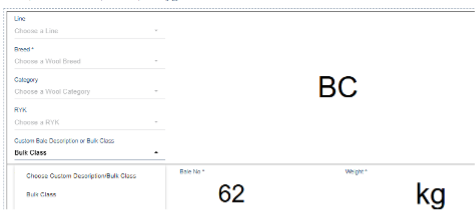
Step 4: Add the bale weight now or before saving. Instruction for adding bale portions:
- Portions are added from top to bottom
- For the top portion, add a description of the wool (this doesn’t need to be a Code of Practice description)
- Estimate the portion’s percentage of the bale. Please note that the portion weight will calculate automatically
- Keep adding portions with percentage estimates
- Enter bale weight
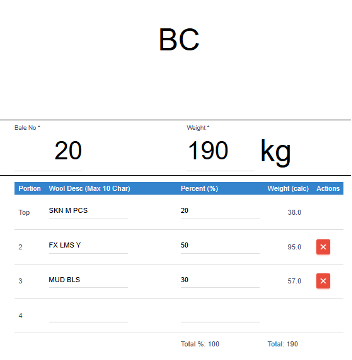
Step 5: Select Save
How to add a Bulk Class Bale in the app
Step 1: Select My Desc or BC, the selected option will be blue
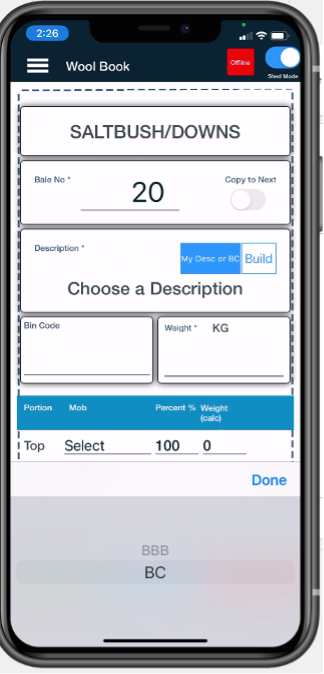
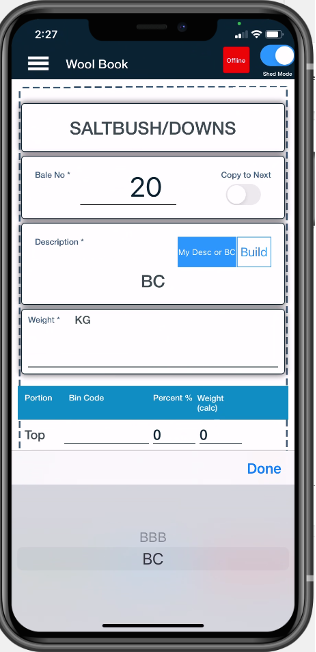
Step 2: Select BC as the bale description. The Mob allocation field changes to the portion allocation
Caption
Step 3: Add the bale weight now or before saving. Instruction for adding bale portions:
- Portions are added from top to bottom
- For the top portion, add a description of the wool (this doesn’t need to be a Code of Practice description)
- Estimate the portion percentage of the bale (the portion weight will auto calculate)
- Keep adding portions with percentage estimates
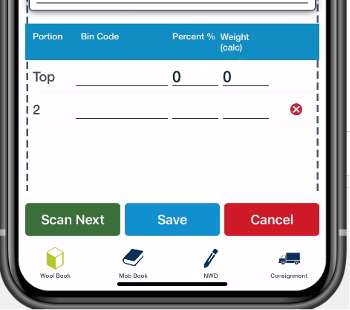
Caption
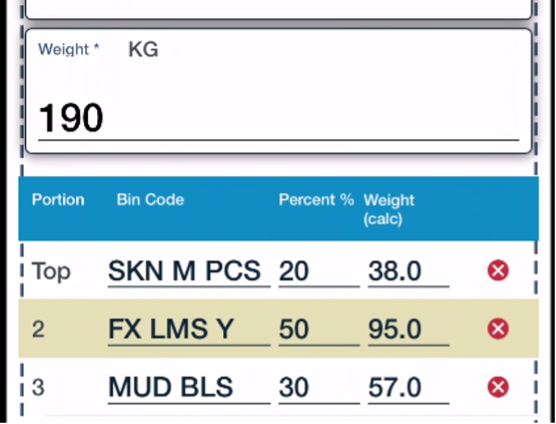
NOTE: The weight of each portion will be automatically calculated from the bale weight and from the estimated percentage.
Step 4: Select Save
Did you know?
The last page of the specification PDF is the BC contents that can be printed and sent to rehandle!
Next steps
When you are comfortable with this workflow, explore related guides, watch WoolClip how-to videos, or contact AWEX WoolClip support if you need help.
Still need help?
Get in touch with our support team and we'll walk you through it.