

Quick Guide: Add a Wool Book Entry in the Web
Covers bale description, weight, Bin Code and mob allocation for PC, laptop and tablet
How to add a Bale Entry to the Wool Book in WoolClip
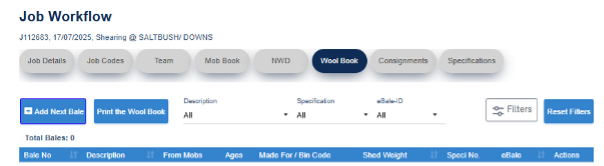
Step 1: Open the Job and select the Wool Book
Step 2: Select Add Next Bale. The next available bale number will generate automatically
Step 3: Enter the bale description: Line, Breed, Category and RYK as relevant. Breed is mandatory.
Step 4: Add a Bin Code if used. Leave blank if not required.
Step 5: Enter the bale weight. If scales are not available, estimate the weight.
Step 6: Select the mob linked to the bale. Use 100% for one mob, or add portions if the bale is split across mobs.
Step 7: Review all details, then save the bale entry
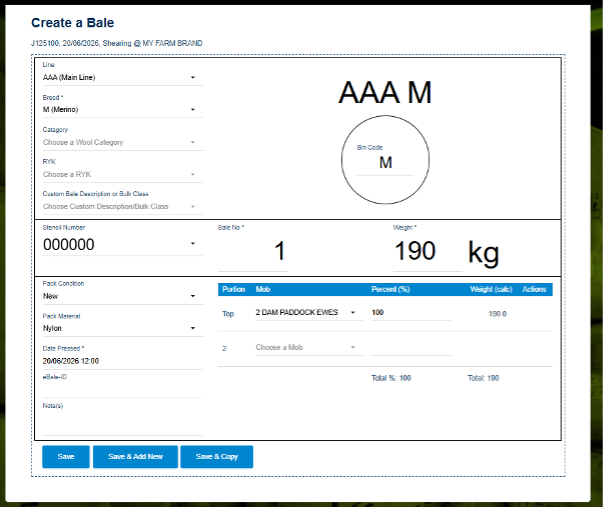
Example of a bale entry on PC or laptop
Note: Web bale entry format view will look different to the image shown above when adding on a tablet or smart phone.
Next steps
When you are comfortable with this workflow, explore related guides, watch WoolClip how-to videos, or contact AWEX WoolClip support if you need help.
Still need help?
Get in touch with our support team and we'll walk you through it.