

The Wool Classer Guide to Getting Started with WoolClip
This guide explains what to do when accessing WoolClip as a Wool Classer for the first time
Step-by-step guide for Wool Classer logging into WoolClip
Step 1: Go to the WoolClip home page www.woolclip.com.au
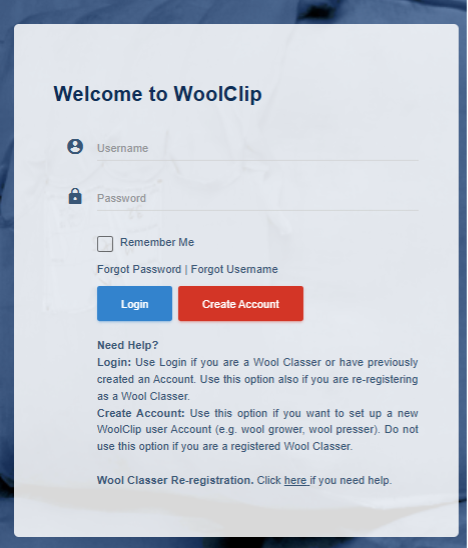
Step 2: Enter the username and password assigned by AWEX as part of your Wool Classer registration. If you do not know your username or password, select Forgot Username or Forgot Password. In most cases, the username is the Wool Classer stencil number.
Step 3: Enter your password carefully, as passwords are case sensitive
Step 4: Select Login
Step 5: For first-time access only, verify your contact details when prompted
Step 6: Select Send Code for your email address and mobile phone, if you are using one
Step 7: Enter each verification code when received
Step 8: Accept the terms of use
Step 9: Select Verify to complete your first-time login setup
You are now ready to start using WoolClip for your next Job!
Important notes
- Use Login function if you are a Wool Classer or if you have previously created a WoolClip account
- Use Create Account only if you are setting up a new WoolClip user account, such as a Wool Grower, Wool Presser or other non-registered User
- Do not create a new account if you are already a registered Wool Classer
Next steps
When you are comfortable with this workflow, explore related guides, watch WoolClip how-to videos, or contact AWEX WoolClip support if you need help.
Still need help?
Get in touch with our support team and we'll walk you through it.