

Getting Started with WoolClip
Step by step to setting up a WoolClip account if you are not a Wool Classer
How to create a WoolClip account for Wool Growers and all other first-time users
Please note: Do not create a new account if you are already a registered Wool Classer. Use the Login function. Use Create Account only if you are setting up as a new WoolClip user such as a Wool Grower, Wool Presser or other.
Step 1: Go to the WoolClip home page www.woolclip.com.au
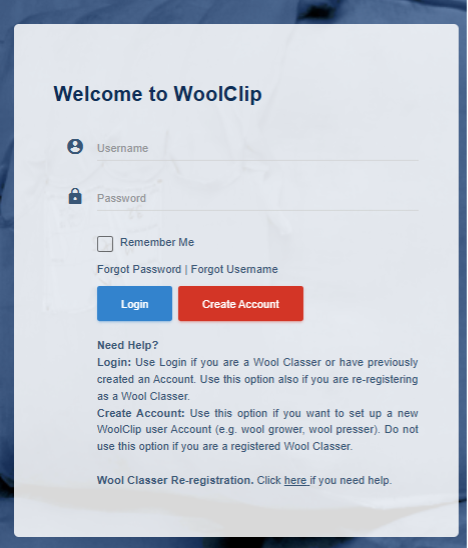
Step 2: Select Create Account
Step 3: Enter your User profile details, including your name and contact information
Step 4: Add your email address (mandatory) and mobile phone number, if using one
Step 5: Create a username and password
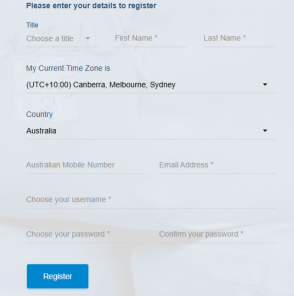
Step 6: Select Register

Step 7: Verify your contact details when prompted
Step 8: Select Send Code for your email address and mobile phone, if using one
Step 9: Enter each verification code when received
Step 10: Accept the terms of use
Step 11: Select Verify to complete your account setup
Important notes
- Use the Login function if you are a Wool Classer or if you have previously created a WoolClip account
- Use Create Account only if you are setting up as a new WoolClip user such as a Wool Grower, Wool Presser or other
- Do not create a new account if you are already a registered Wool Classer. Use the Login function
Next steps
When you are comfortable with this workflow, explore related guides, watch WoolClip how-to videos, or contact AWEX WoolClip support if you need help.
Still need help?
Get in touch with our support team and we'll walk you through it.