

How to Use the Job Codes Module
Job Codes is used when Bin Codes and or custom bales descriptions need to be created or shared
WoolClip Job Codes module’s step-by-step guide
Job Codes is used when Bin Codes and or custom bales descriptions need to be created or shared. This module allows a common set of codes or descriptions to be created or copied to the Job so that team members can use them when adding bale details. The Job Code tab is an optional function used when custom Bin Codes or bale descriptions need to be shared with other users working on the same Job.
When to use this function
- Use this function when a User has created custom Bin Codes in their Burger Menu and another team member needs to use those codes for the Job. Use the Copy Function
- Use this function when a user has created custom bale descriptions in the burger menu and make these available to others working on the Job. Use the Copy Function
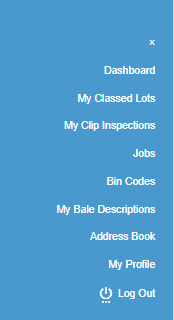
Custom bin codes and bale descriptions can be created by a user from the burger menu on the dashboard
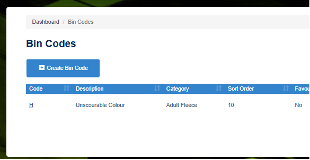
OR
- Use the Create Bin Codes and or Create Bale Descriptions function for this Job only
Step-by-step guide to adding a user’s set of bin codes or bale descriptions
Step 1: Open the Job
Step 2: Go to the Job Code tab
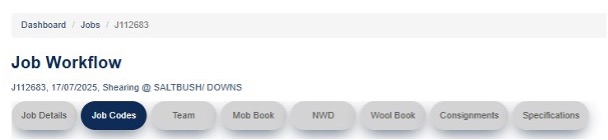
Step 3: Select Copy My Bin Codes, or Copy My Bale Descriptions, or both


Step 4: Copy the selected codes or descriptions to the Job from your previously created Bin Codes and Bale Descriptions
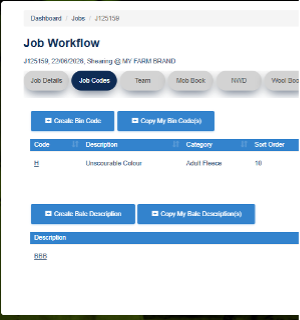
Step 5: Use the Bin Codes or descriptions as required when adding bale details to the Wool Book
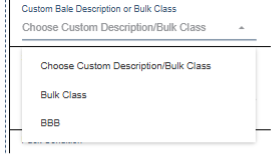
Guide to adding new bin codes or new bale descriptions
Use Create Bin Code and/or Create Bale Description to add a new entry

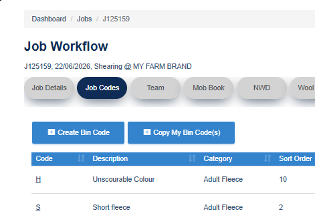
Example of a New Bin Code S

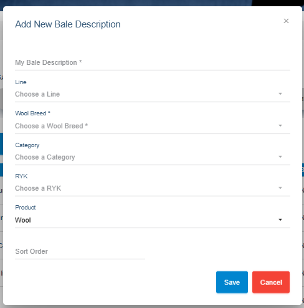
These Bin Codes or Bale descriptions will only be available when adding bale details to the Wool Book in this Job and will not be added to the Users list in the burger menu.
Example: Sharing Bin Codes with a Wool Presser
A Wool Classer has created custom Bin Codes in their Burger Menu. A Wool Presser logs in using their own username and password and is entering the bale details. By copying the Bin Codes to the Job, the Wool Presser can access and use the Wool Classer’s Bin Codes in that Job only. The main advantage of using custom Bin Codes is that a line comment can be automatically populated on the specification for lines where that Bin Code is used.
Important Notes
- The Job Code tab is optional and should only be used where applicable
- Custom Bin Codes and Bale descriptions are created by the user in their Burger Menu
Next steps
When you are comfortable with this workflow, explore related guides, watch WoolClip how-to videos, or contact AWEX WoolClip support if you need help.
Still need help?
Get in touch with our support team and we'll walk you through it.