

How to Use the Wool-ID in Your Next Job
Using the Wool-ID to link farm trading details to the WoolClip job and specification
Follow these steps to use your Wool-ID
The Wool-ID is the linking code between the Wool Grower’s Farm Account and WoolClip Jobs and Specifications. When the Wool-ID is added to a Job and approved, the Wool Grower will be in the team as the Owner/Manager and Job Administrator.
Adding the Wool-ID to a Job will:
- Populate the trading details on the specification
- List PICs, farm brands and farm locations
- Link the wool grower and Wool Classer to the same Job
- Reduce duplicate data entry and help avoid errors
- Support corporate farms or enterprises with multiple locations or trading details
Prepare for Shearing – The Wool Grower
Step 1: Set up your Farm Account. When the Farm Account and Wool-ID are verified, the Wool-ID will be shown in the Farm account module.
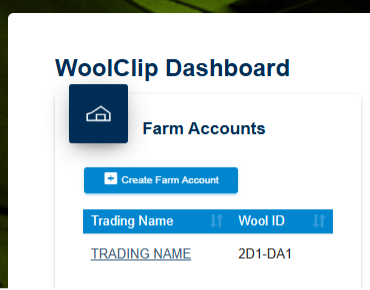
A Wool Grower with a farm account and Wool-ID can prepare all shearing information and start the Job:

- Add mobs before shearing starts
- Complete the National Wool Declaration
- Add the Marketing representative to the Team
- Add the Wool Classer to the team and send invite
OR
- Provide the Wool-ID to the Wool Classer to enter in the Job so the Farm Account can be linked
- Approve the use of the Wool-ID from the Wool-ID request tab in the Burger menu

Benefits of a Farm Account and Wool-ID
- Gives the Wool Grower full access to all WoolClip functions
- Prepopulates farm and trading details on the Wool Classer specification
- Allows the Grower to add mobs and complete the National Wool Declaration before shearing
- Lets the Grower view Job and Clip records
- Reduces reliance on the Wool Classer to enter trading name, PIC and brand details
- Reduces errors and saves time
- Supports AWSS certification requirements
Next steps
When you are comfortable with this workflow, explore related guides, watch WoolClip how-to videos, or contact AWEX WoolClip support if you need help.
Still need help?
Get in touch with our support team and we'll walk you through it.